Overview #
After successfully signing in to PraDocs, you can access the PraDocs Dashboard. The Dashboard provides a central view of your PraDocs workspace and gives you access to the main features of the platform.
Before you begin #
Make sure you have:
- A registered PraDocs account
- Completed your organization setup
- Successfully signed in to PraDocs
Step 1: Sign in to PraDocs #
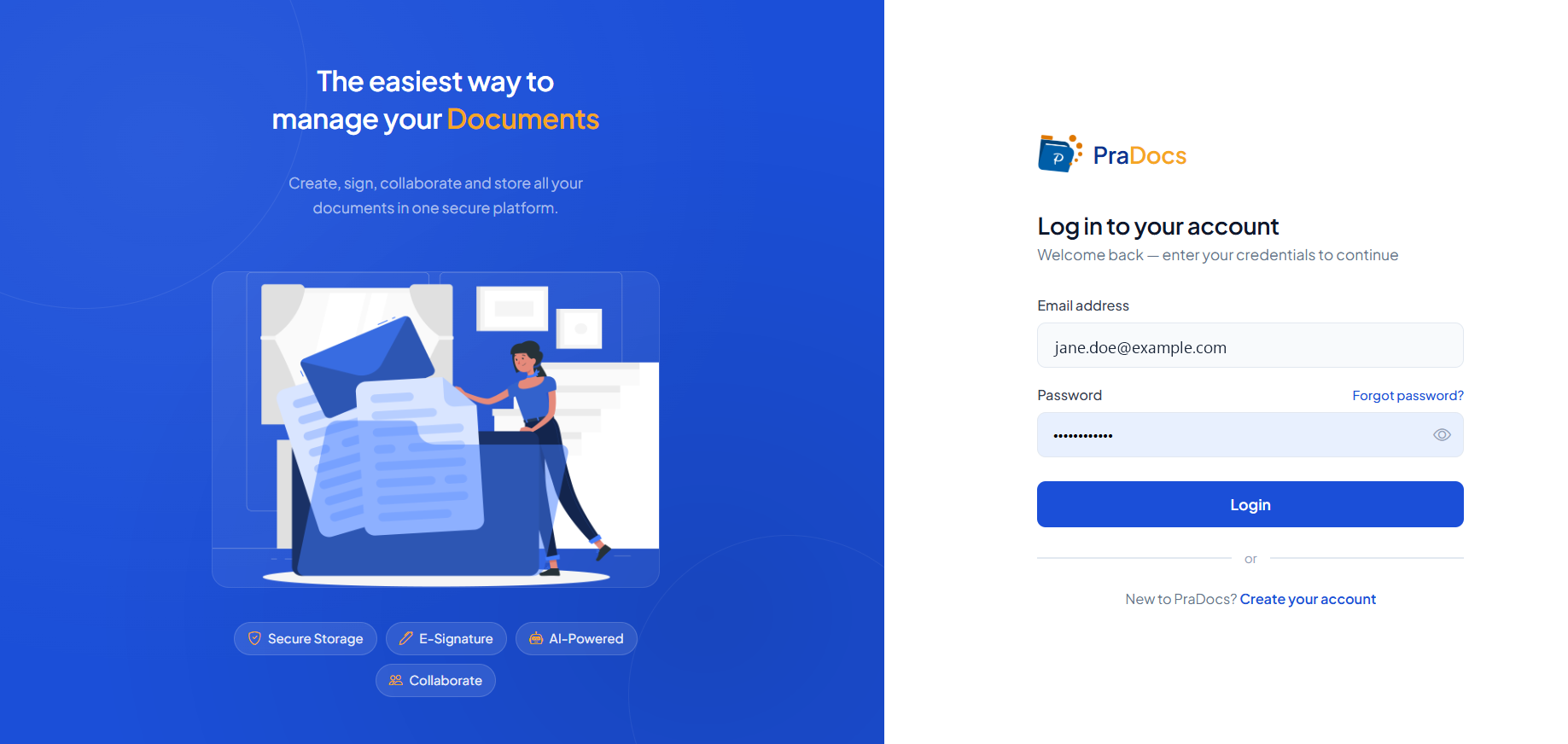
- Open the PraDocs website.
- Enter your registered email address and password.
- Click Login.
Step 2: Open the Dashboard #
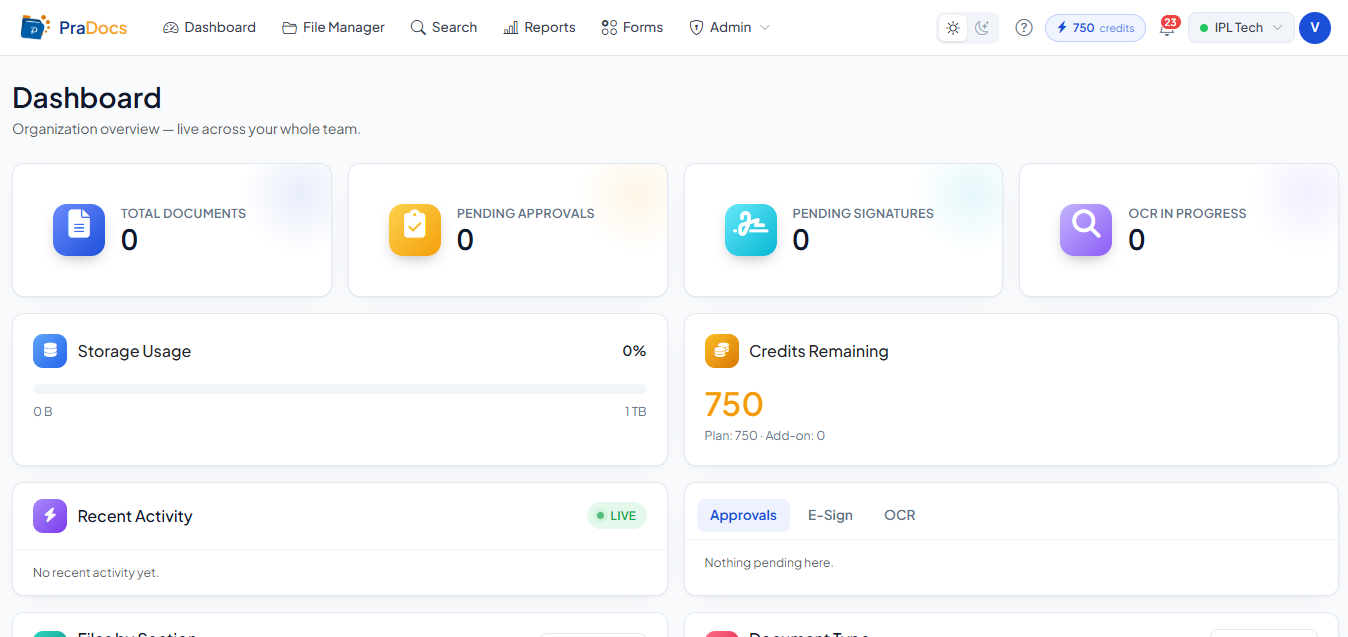
- After successful login, PraDocs will open your account workspace.
- Click Dashboard in the top navigation menu if the Dashboard does not open automatically.
Step 3: View the Dashboard #
Once the Dashboard opens, you can view your organization overview and access the main PraDocs features. The main navigation includes:
- Dashboard
- File Manager
- Search
- Reports
- Forms
- Admin
Step 4: Navigate to PraDocs features #
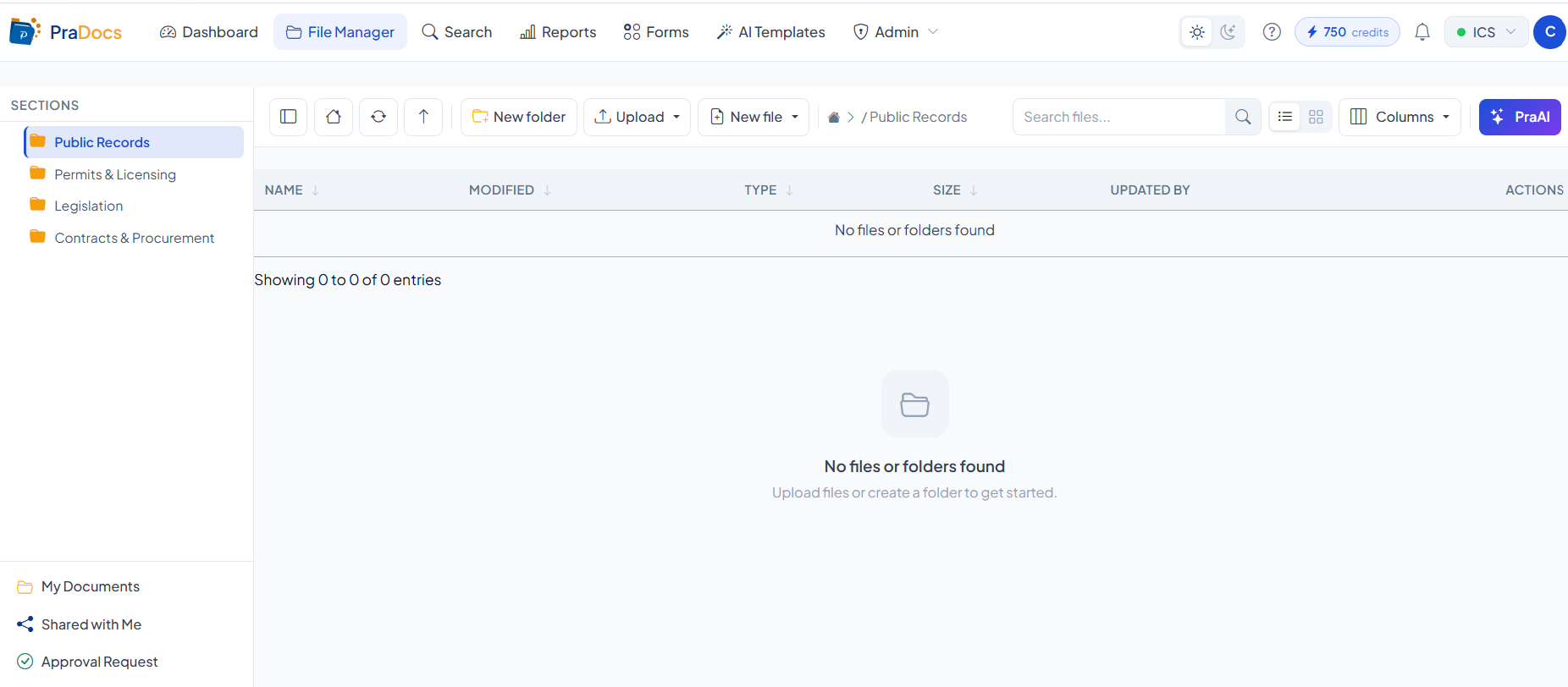
From the navigation menu, you can open the features available to your account:
- File Manager - manage files, folders, and documents.
- Search - find documents and files.
- Reports - access available reports.
- Forms - access available forms.
- Admin - access administrative functions, if you have the required permissions.
Expected result #
You have successfully accessed the PraDocs Dashboard and can navigate to the features available to your account.